
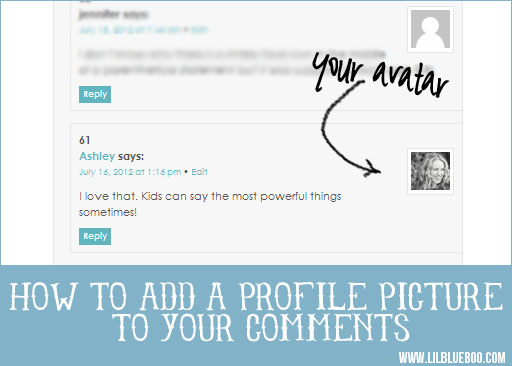
How do you get your profile picture to show up when commenting on a blog post? Create a gravatar!
Gravatar is a globally recognized avatar. So, every time you comment or post on a blog, your custom avatar (profile picture) will appear!
How to create a gravatar:
1. Register for your free gravatar account. Use the email address you will be commenting or posting from.
2. Upload your pretty profile picture or logo.
3. Start commenting and posting away! Make sure you give your new avatar a little time to show up.
I want to see your new profile photos! Leave a comment below to test it!

Thanks for the great tip!
ohhhh, love it!
My gravatar works sometimes and sometimes it doesn’t. I don’t think it works here.
I logged into my account only to find it didn’t exist anymore. I created a new account. 😉
WooHoo! LOve this. Thank you
Thanks for the tip!!
Testing Testing!
Let’s see if you see me!
Hmmm…what’d I do wrong?
I see you Norma 🙂
Thank you!
Trying it out. Thank you.
Thanks for the tips… AWESOME ☺
Will definitely have to see about it… would be nicer than a grey scale androgynous photo tab!
just testing to see if I got it right, thanks for the info!
I love it when I can see people’s photos. And I love photos more than graphics or silly pictures- I really want to see what people look like. 🙂
I love Gravatar… I wish more people would use it.
Ahhh, thank you!
ohhhhhhhhhhhhhhhhhhhh!
but it didn’t work. maybe it takes time
I see you Lisa 🙂
testing, testing…
giving it a try … thanks
it works!
hehehe, Ive wondered for a long time how to do this…Thanks!!!
Thanks for this reminder! I had an account with no picture. Why, You ask? I have no clue. Anyway, I added an image. Maybe it will work! 🙂
ok…testing one more time…
Maybe this time? If no picture, I’ll just wait til later. My OCD must be kicking in, cause I wanna see a picture!
Yaaaay! Kept wondering how I changed it!! Thanks for the tip, Ashley!
Thanks for this!!
Testing!
Trying this again…
Thanks for the tip. Somehow I had never heard of Gravatar before?!
Seems not to be working?
Eureka!
Ok, I cant figure out how to sign up. I got an email, then when I went to enter username and password it would not work. I dont have a wordpress account, is this my issue?
No, you just need an email address. When you received the email did you click to confirm sign up?
Is there a way for it to work on non-Wordpress blogs? Mine only ever works in WordPress blogs. When I comment on blogger.com or any other blogging websites, my avatar is always blank. I always comment using my WordPress account as OpenID, but it never shows a picture 🙁
Hi Rachel! I believe Gravatar is working with Blogger to integrate this into their template. Not sure about other blogging programs though.
good idea
Mmmmm
now?
I see your image! Cute!
Thanks for the info! I always wondered how that worked 🙂
Trying mine out and thank you for showing us how.
Not showing up… must take some time?
This is a test…!!!!
Thanks for instructions, I’ve been meaning to do this forever but never got around to it. Hope it worked! 🙂
This is only a test. 😀
But yeah. Thanks for solving one of life’s greatest mysteries!!
Hmmmm. Is there a delay or did I miss something?
Oh yes, a delay. Yay! THANKS SO MUCH! <3
test Avatar
Thanks!!!